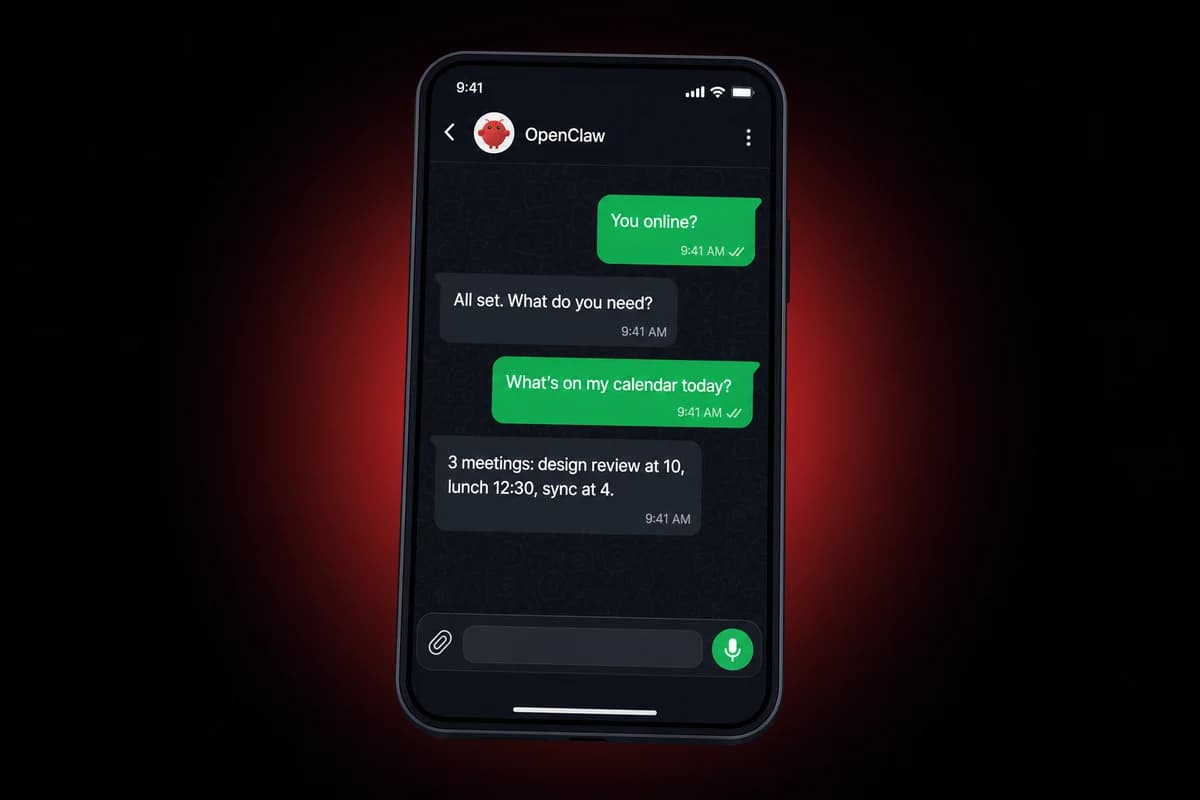
TL;DR: Every fresh OpenClaw WhatsApp setup returns a red pairing required reply on the first outbound message, and that is the design, not a bug. Approve the pairing with openclaw devices approve --latest and the message lands on your phone within a second. Pair to a number you would not mind losing, since Baileys-based clients still get banned in 2026 even when usage looks clean.
Scanning the QR code takes 8 seconds. Finishing your OpenClaw WhatsApp setup so the first message lands without a red error takes about three minutes more, and by minute four you are usually staring at a pairing required reply wondering what just broke.
Nothing broke. That is the most useful thing to know before any of this.
Popular tutorials walk a fresh user through the QR scan and then stop right where the headaches actually start. After the QR, the pairing required message is what greets you, and once you push past it the four-device cap trips your second attempt.
The ban risk on Baileys-based clients bites after you go live, and the bot quietly dies whenever your laptop sleeps. One of those bricked my setup on day two and the fix was not in any of the videos. I will get to it.
Quick framing before the steps. WhatsApp is the delivery surface for an AI assistant, not the brain. The brain is OpenClaw running somewhere with Node.js 22, holding a session file in .openclaw/sessions, talking to WhatsApp Web servers on port 443. Every problem in this article is at one of those three layers.
What you need before scanning the QR code
Have these in front of you:
- A running OpenClaw install
- Node.js 22 or newer (Bun is unsupported)
- A phone number that is not the one your friends text
- A WhatsApp account with fewer than four devices already linked
Node.js trips people up first. Bun is unsupported. If node --version returns anything older than 22, the gateway refuses to start and the error message is unhelpful, so check the version before anything else. Running OpenClaw on a current runtime is half the battle.
Now the device-cap trap. WhatsApp lets you link four devices to one account, full stop. If you already have a desktop client, a tablet, and a second phone hooked up, your OpenClaw scan will fail with can't link new devices at this time and zero context.
Open WhatsApp on your phone now, head to Settings → Linked Devices, count what is in there.
One more, easy to forget. Outbound port 443 from your host to web.whatsapp.com has to actually be reachable. On a laptop this is automatic. On a fresh VPS at a discount provider, sometimes not.
Run the OpenClaw WhatsApp setup in five minutes
Open a terminal on whatever machine is running OpenClaw and walk these in order.
- Run
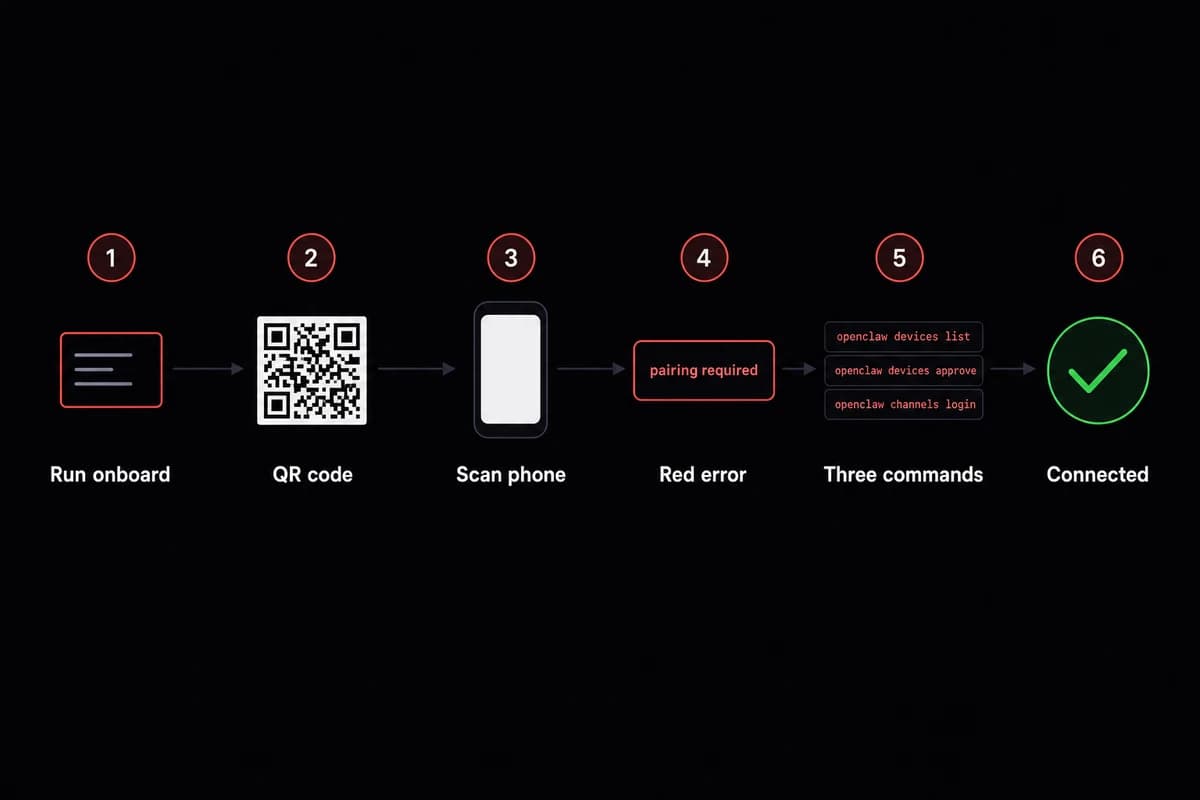
openclaw onboard, pick Quick Start, and pick a model provider (Anthropic, OpenAI, or Ollama). Local Ollama is noticeably slower than a cloud Ollama; if your hardware is modest, expect to wait on responses. - Pick WhatsApp from the channel list. A QR code for your OpenClaw WhatsApp pairing prints in the terminal as ASCII.
- On your phone, open WhatsApp, go to Settings → Linked Devices → Link a Device, scan the QR. You have about 60 seconds before it expires; if it does, regenerate with
openclaw channels login --refresh. - When OpenClaw asks for the bot's phone number, type the dedicated one. This populates the
allowFromallowlist behind the scenes, the same setting we cover in the lockdown section. The wizard does not warn you that the choice is hard to undo cleanly later. Pick carefully. - Send a test with
openclaw message send <number> "ping". - The terminal returns a red
pairing requiredreply. Runopenclaw devices listto see the blocked connection, thenopenclaw devices approve --latestto let it through, thenopenclaw channels loginto finalize the WhatsApp connection. The reply lands on your phone within a second.
Setting up Telegram is genuinely easier. One Telegram bot setup command and you are done. WhatsApp has more knobs because WhatsApp itself has more knobs, none of which is OpenClaw's fault.
Babysitting Node versions and port rules gets old fast. OpenclawVPS provisions a VPS with port 443 already open and OpenClaw preinstalled, in about 47 seconds. Plans start at $19/month.
Why the first send returns 'pairing required'
OpenClaw blocks the first outbound message by default so a fresh pair cannot quietly start sending things on your account. Run the three commands above and the next send goes through.
If WhatsApp shows status 515 right after the scan
Status 515 is a Baileys-side reconnect signal, not an error. Open the channel page and click Update. After a refresh the status flips to connected within a few seconds.
Use a dedicated phone number, not your personal one
Day two on a fresh OpenClaw install, paired to my regular number, the bot replied to a group chat at 3 AM with seven paragraphs of plan-revision suggestions.
By breakfast the account was sitting under a temporary block. The only useful thing the WhatsApp app told me was that I had violated something.
The bot was not sending spam. It was answering questions. WhatsApp does not always read those distinctions the way a human would.
This is the part the upbeat tutorials skip. Baileys-based clients can trigger WhatsApp enforcement even when usage looks clean by any reasonable definition, and the upstream maintainers are openly frank about it: bans happen to non-spam accounts.
Not maybe. They have happened, they will happen, and the appeals process is slow when it exists at all.
So the rule is simple. Pair OpenClaw to a number that is not the one your friends text.
Pick whatever you can spare. Your options:
- Second physical SIM: works cleanly, slight annoyance of carrying two numbers
- VOIP line: registers fine on WhatsApp but breaks SMS fallbacks for any other service you register against the same number later
- Cheap prepaid line: for most people the right answer; the carrier does not care if it gets burned and you do not either
For the first day, run the bot in self-chat. Set selfChatMode: true in openclaw.json and send messages to yourself only. No risk to anyone else, and you can break things without explaining the bot's behavior to a friend who is suddenly receiving stilted product replies.
A note on warm-up that I learned the hard way. Keep outbound volume low for the first week. Skip importing contacts from the OpenClaw side. Avoid identical messages to multiple recipients. WhatsApp's pattern detection is more sensitive than you would guess.
| Approach | Cost | Ban risk | Best for |
|---|---|---|---|
| Personal number | Free | High (losing the account hurts) | Demos only |
| Second physical SIM | €5 to €10 once + €5/month | Low (disposable) | Production bots |
| VOIP line (Twilio etc.) | $1 to $5/month | Low (breaks SMS fallback for other services) | Testing |
| Carrier prepaid | €5 once, no recurring | Low (easiest to replace) | Default choice |
Table: Pairing-number options for OpenClaw WhatsApp setup, ranked by ban tolerance
Lock down the channel before strangers find it
{
  "whatsapp": {
    "dmPolicy": "pairing",          // "pairing" | "open" | "allowlist"
    "allowFrom": ["+15551234567"],
    "groupChat": { "mentionsOnly": true },
    "gateway": {
      "bind": "127.0.0.1",
      "auth": "token-here"
    }
  }
}
dmPolicy is the gate. With pairing, only the number you paired during onboarding can DM the bot. open lets anyone with your phone number talk to it (do not). allowlist checks every incoming message against allowFrom, the safer setting for any bot you actually care about. The allowFrom array is what step 4 in the procedure above wrote to; this is the config view of the same idea.
Now the gateway. Three settings, none optional on a shared server:
- Bind to
127.0.0.1so the API is not reachable from the network - Set a gateway auth token so every internal API call is checked
- Run
openclaw doctorand let it tighten credential file permissions to700, blocking any other user on the box from reading your session file
A single openclaw doctor pass surfaces every one of them in one go. If you later extend OpenClaw with MCP servers, they sit behind the same gateway, so the auth token check covers their tool calls too.
Group chats need the mentionsOnly flag if you put the bot in one. Without it, the bot answers every message in the chat including the ones not directed at it, and on a 40-person planning thread that gets you uninvited fast.
You can also bind a specialized agent to a specific number from the same config layer. Drop in extra ClawHub skills and that agent picks them up at restart.
Keep OpenClaw WhatsApp running when your laptop sleeps
What do you do when the laptop closes? The bot dies, every WhatsApp message goes unanswered, and the next time you open the laptop the session has expired and you are back to scanning a QR.
The cleanest self-host route is a systemd unit on a Linux box. Drop a unit file at /etc/systemd/system/openclaw.service:
[Unit]
Description=OpenClaw gateway
After=network-online.target

[Service]
Type=simple
User=openclaw
ExecStart=/usr/local/bin/openclaw start
Environment=ANTHROPIC_API_KEY_FILE=/etc/openclaw/anthropic.key
Restart=always
RestartSec=5

[Install]
WantedBy=multi-user.target
Without Restart=always on the unit, it exits and stays exited the first time WhatsApp issues a status 515 and the gateway needs to reconnect. That single line is what survives the Baileys-side reconnect cycle. Two debug sessions before I read the systemd man page on that one.
Docker works for the same job with one wrinkle. Container restarts wipe ephemeral filesystems by default and your QR pairing lives in .openclaw/sessions. Forget the volume and you re-pair every time the container restarts, which on a busy host is more often than you think.
docker run -d \
  --restart=always \
  -v openclaw_sessions:/app/.openclaw/sessions \
  -p 127.0.0.1:8788:8788 \
  ghcr.io/openclaw/openclaw:latest
A named volume keeps the session across restarts. Bind to 127.0.0.1 and front it with whatever proxy you already trust.
Or skip both and run on OpenclawVPS. What "managed" means here in plain words:
- The gateway runs as a service that auto-restarts
- Outbound port 443 to
web.whatsapp.comis already open - The
.openclaw/sessionsvolume persists across reboots - Provisioning takes 47 seconds from sign-up to a running gateway
The silent egress block that catches people on cheap VPS providers does not exist here. The firewall rule was put in place knowing OpenClaw needs to talk to WhatsApp.
Plain tradeoff. Self-hosting buys you full control at the price of some weekend hours. Managed buys you back the firewall and persistent-volume time, and the time you would have spent on either one is yours.
When the WhatsApp setup breaks
Hitting the linked-devices cap on an OpenClaw WhatsApp install returns Can't link new devices at this time. The error comes from WhatsApp, not OpenClaw. WhatsApp caps every account at four linked devices.
Open WhatsApp on your phone, go to Settings → Linked Devices, log out the oldest, rescan. The error message is unhelpfully vague; this is the cause something like four times out of five on a first attempt.
QR code expired before you could scan it? openclaw channels login --refresh regenerates a fresh code. The 60-second window is real and there is no soft buffer, so plan to have your phone in your hand before running the command.
WebSocket not established. Your host blocks egress on port 443 to web.whatsapp.com. Open the port. If the host won't let you, switch hosts.
Self-chat keeps replying pairing required on every send? You skipped the third command at the end of the procedure. Run openclaw channels login now and it stops.
Status 515 again, on a working setup that suddenly broke? Same fix as the first time. Open channels, click Update, refresh.
Twenty minutes of restarting containers and chasing port rules is twenty minutes you do not get back. OpenclawVPS ships the gateway preconfigured with the session volume persistent and outbound 443 already reachable, so the four-device cap is the only WhatsApp limit you actually have to think about. Bot stays alive while your laptop sleeps.
| Error you see | Where it comes from | Fix |
|---|---|---|
Can't link new devices at this time | WhatsApp (4-device cap) | Settings → Linked Devices, log out the oldest, rescan |
| QR code expired | OpenClaw (60-second window) | openclaw channels login --refresh |
WebSocket not established | Host firewall (egress on 443) | Open outbound 443 to web.whatsapp.com, or switch hosts |
pairing required on every self-chat | OpenClaw (missed final step) | openclaw channels login to finalize the connection |
status 515 after a working setup | Baileys reconnect signal | Channels → Update → refresh, status flips to connected |
Table: WhatsApp-setup error reference (symptom, source, one-line fix)
Frequently asked questions
How do I connect OpenClaw to my WhatsApp account?
Run openclaw onboard, choose WhatsApp as the channel, and scan the QR in Settings → Linked Devices on your phone. Type a dedicated phone number when OpenClaw asks (your main number works but is a bad idea), then approve the first pairing with openclaw devices approve --latest. The whole first run takes 5 to 10 minutes from a fresh install.
Can I use OpenClaw with a personal WhatsApp number?
Pairing the bot to my regular number bricked the account inside 36 hours of going live, with no warning and no spam in the outbound logs. WhatsApp's appeal queue is slow when it works at all. Use a dedicated number for OpenClaw, even a cheap prepaid line.
Does OpenClaw work with WhatsApp Business?
OpenClaw's default channel uses the WhatsApp Web multi-device protocol, the same one your phone client uses. WhatsApp Business accounts work with this in exactly the same way: one account, up to four linked devices. For the official Cloud API with templated messages and high-volume sending you need a separate WhatsApp Business API integration with a Meta-approved sender, which is outside the default OpenClaw setup.
Will using OpenClaw get my WhatsApp account banned?
Possibly, and saying otherwise would be dishonest. WhatsApp has escalated enforcement against Baileys-based clients in 2026, including non-spam accounts. The biggest risk reducers:
- Pair to a number that is not your personal one
- Keep outbound volume low for the first week
- Skip importing contacts from the OpenClaw side
- Avoid identical messages to multiple recipients in the first month
Why does WhatsApp say "can't link new devices at this time"?
WhatsApp side, not OpenClaw. Hard cap of four linked devices per account; log out the oldest in Settings → Linked Devices and rescan.
How I run OpenClaw 24/7
Pick the path that matches what you want to spend Saturday on. Self-host with systemd or Docker if you like wrenching, or skip it for $19/month on a Starter tier in EU regions with the gateway preconfigured and a 3-day refund if you decide it is not for you.


