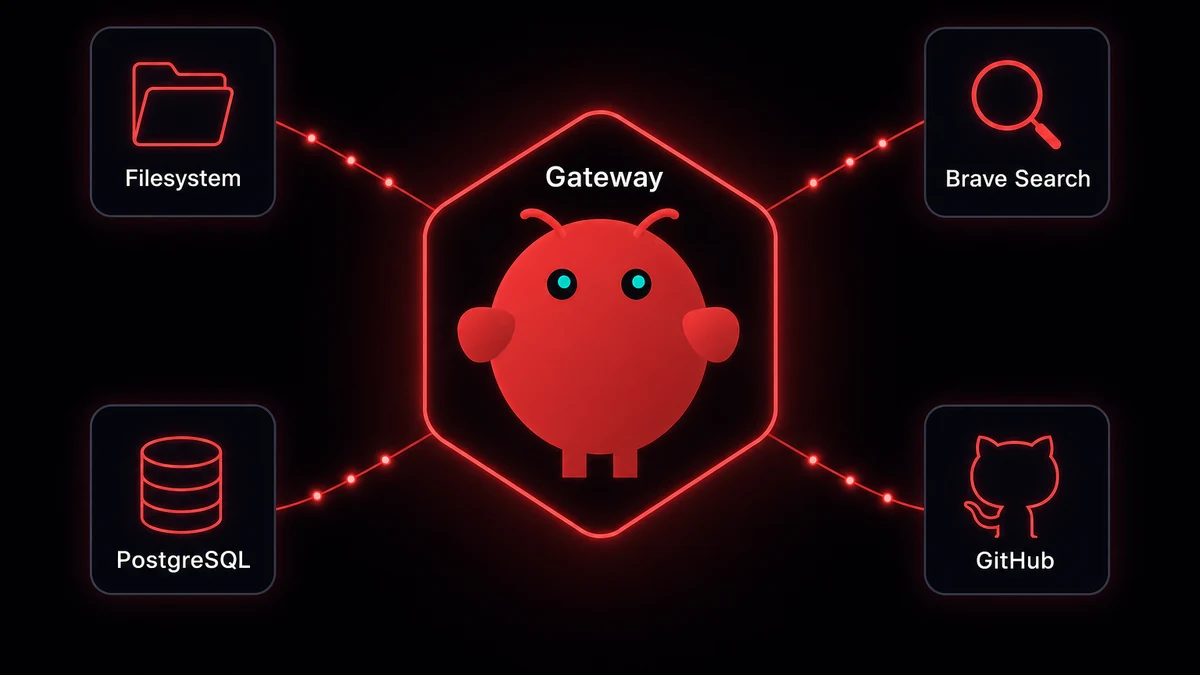
TL;DR: You add MCP servers on OpenClaw through one config file: ~/.openclaw/openclaw.json. Drop a server entry under mcpServers, restart the gateway, done. Your agents get instant access to databases, file systems, search engines, APIs. I run 12 and route different ones to different agents. The 5 worth adding first: filesystem, Brave Search, PostgreSQL, GitHub, and memory.
My OpenClaw agents could chat, follow instructions, use skills. Useful enough to replace my AI assistant subscriptions. But they couldn't touch anything outside their context. MCP fixed that overnight.
To add an MCP server on OpenClaw you drop one entry into ~/.openclaw/openclaw.json. MCP (Model Context Protocol) lets agents call external tools through JSON-RPC. One protocol, over ten thousand published servers, no glue code. The interoperability is what sets OpenClaw apart from other AI platforms. I run 12 on a single VPS, all in one configuration file, about 60 seconds per server.
Add your first MCP server on OpenClaw in 60 seconds
- 1Drop a server entryAdd command, args, transport to ~/.openclaw/openclaw.json under mcpServers↓
- 2Restart the gatewayRun openclaw gateway restart so the child process spawns with the new config↓
- 3Verify with mcp listopenclaw mcp list shows the server status, tool count, and transport
Every MCP server on OpenClaw needs one entry in ~/.openclaw/openclaw.json under mcpServers. The filesystem server is the simplest place to start, takes about 60 seconds end to end.
{
  "mcpServers": {
    "filesystem": {
      "command": "npx",
      "args": ["-y", "@modelcontextprotocol/server-filesystem", "/home/openclaw/data"],
      "transport": "stdio"
    }
  }
}
Three fields. command points to the binary that starts the server (usually npx or node). args passes the package name and any server-specific config. transport is almost always stdio.
Save the file. Restart the gateway:
openclaw gateway restartVerify it picked up:
openclaw mcp listSERVER STATUS TOOLS TRANSPORT
filesystem running 11 stdio
11 tools. Read file, write file, create directory, move, search. Your agents can call all of them immediately.
OpenClaw spawns the server as a child process. Communication runs over stdin/stdout using JSON-RPC 2.0. No HTTP ports, no network exposure, no auth layer needed for local servers.
Speed up MCP installs with mcporter
mcporter is OpenClaw's zero-config MCP install CLI. It writes the openclaw.json entry for you. I switched to it for new servers around v0.10, after one too many JSON-comma typos.
To add an MCP server to OpenClaw with mcporter, install the CLI:
npm install -g @openclaw/mcporterThen search and install:
mcporter search filesystem
mcporter install --target openclaw filesystem
That writes the entry into ~/.openclaw/openclaw.json for you. Restart the gateway, tools show up in openclaw mcp list.
I still hand-edit openclaw.json for custom servers and anything not in the registry. For one-off adds, mcporter is the shortcut.
The full config I actually use
I didn't plan to add twelve MCP servers. It crept up over two months. Hit a wall, add a server, move on. Here's the openclaw.json mcpServers configuration block exactly as it lives on the box.
{
  "mcpServers": {
    "filesystem": {
      "command": "npx",
      "args": ["-y", "@modelcontextprotocol/server-filesystem", "/home/openclaw/data"]
    },
    "brave-search": {
      "command": "npx",
      "args": ["-y", "@modelcontextprotocol/server-brave-search"],
      "env": { "BRAVE_API_KEY": "${BRAVE_API_KEY}" }
    },
    "postgres": {
      "command": "npx",
      "args": ["-y", "@modelcontextprotocol/server-postgres", "postgresql://localhost:5432/mydb"]
    },
    "github": {
      "command": "npx",
      "args": ["-y", "@modelcontextprotocol/server-github"],
      "env": { "GITHUB_PERSONAL_ACCESS_TOKEN": "${GITHUB_TOKEN}" }
    },
    "memory": {
      "command": "npx",
      "args": ["-y", "@modelcontextprotocol/server-memory"]
    },
    "git": {
      "command": "npx",
      "args": ["-y", "@modelcontextprotocol/server-git"]
    },
    "obsidian": {
      "command": "npx",
      "args": ["-y", "obsidian-mcp-server", "--vault", "/home/openclaw/notes"]
    },
    "puppeteer": {
      "command": "npx",
      "args": ["-y", "@modelcontextprotocol/server-puppeteer"]
    },
    "sqlite": {
      "command": "npx",
      "args": ["-y", "@modelcontextprotocol/server-sqlite", "/home/openclaw/data/local.db"]
    },
    "fetch": {
      "command": "npx",
      "args": ["-y", "@modelcontextprotocol/server-fetch"]
    },
    "slack": {
      "command": "npx",
      "args": ["-y", "@modelcontextprotocol/server-slack"],
      "env": { "SLACK_BOT_TOKEN": "${SLACK_BOT_TOKEN}" }
    },
    "sequential-thinking": {
      "command": "npx",
      "args": ["-y", "@modelcontextprotocol/server-sequential-thinking"]
    }
  }
}
My 12-server setup
Total: 5,200 tokens of tool overheadToken overhead matters. Each server injects tool descriptions into your context. Memory is light (~200 tokens), GitHub heavy (800+ tokens for 30+ tools). My 12 servers eat ~5,200 tokens before anyone types a word. That's the low end: a Reddit operator measured 67,000. Per-agent routing (next section) is how you stay closer to 5,200 than 67K.
Running MCP servers on your own VPS means monitoring uptime, restarting crashed processes, debugging at odd hours. OpenClaw VPS runs your MCP servers with process monitoring and auto-restart built in. Plans start at $19/month.
Route different servers to different agents
If you're running multiple agents, you don't want every agent talking to every server. My coding agent doesn't need Obsidian. My personal agent has no business near the production database.
Per-agent routing lives in the same openclaw.json, under each agent's configuration:
{
  "agents": {
    "coder": {
      "mcpServers": ["github", "git", "filesystem", "postgres"]
    },
    "researcher": {
      "mcpServers": ["brave-search", "fetch", "memory", "sequential-thinking"]
    },
    "personal": {
      "mcpServers": ["obsidian", "memory", "filesystem", "slack"]
    }
  }
}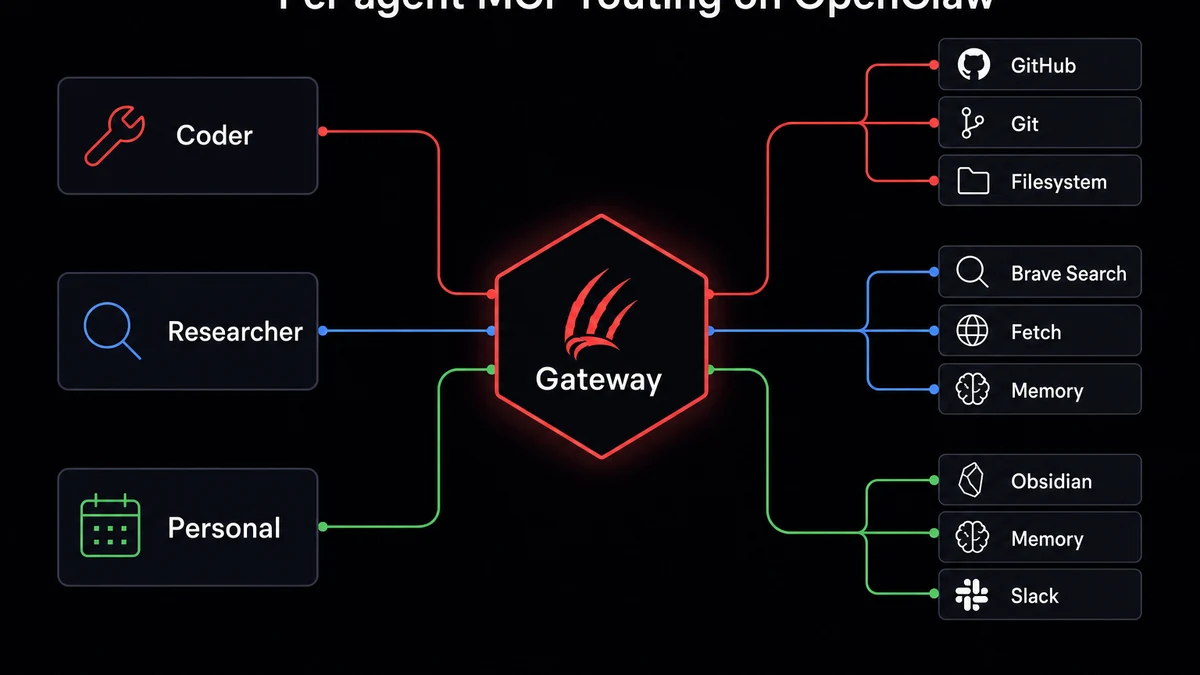
When an agent has mcpServers defined, it only sees those servers. No override and it inherits the full global list.
Security is one reason. Performance is the real win. My researcher agent runs with ~1,800 tokens of tool overhead instead of 5,200. Faster responses, lower cost, less confusion picking between 80+ tools.
Environment variables and API keys
Half my servers need API keys. Brave Search needs BRAVE_API_KEY, GitHub needs a personal access token, Slack wants a bot token. The two-token Slack wiring is its own short ritual: a bot token for outbound and an app-level token for Socket Mode.
Don't put secrets inline in openclaw.json. It ends up in backups, gets copied during migrations, sometimes gets committed to git by accident. Use system env vars instead:
export BRAVE_API_KEY="BSA-abc123def456"Reference it in the config with ${BRAVE_API_KEY}. I keep all MCP keys in /etc/openclaw/env, sourced from systemd. See OpenClaw security best practices for the broader picture.
The mistake everyone makes once: setting an env var but forgetting to restart the gateway. OpenClaw reads env vars at startup. Change a key, restart.
The 5 MCP servers I'd add first
Read, write, search files. Zero config, zero API keys
- Tokens
- ~400
- Auth
- None
Free web search, 2,000 queries/month on free tier
- Tokens
- ~200
- Auth
- BRAVE_API_KEY
Persistent recall. Agent remembers across sessions
- Tokens
- ~200
- Auth
- None
Natural-language SQL against your databases
- Tokens
- ~450
- Auth
- Connection string
Issues, PRs, file reads, repo search across repos
- Tokens
- ~800
- Auth
- GITHUB_TOKEN
Don't add 12 on day one. Start with 5. These are the ones that actually changed how I work.
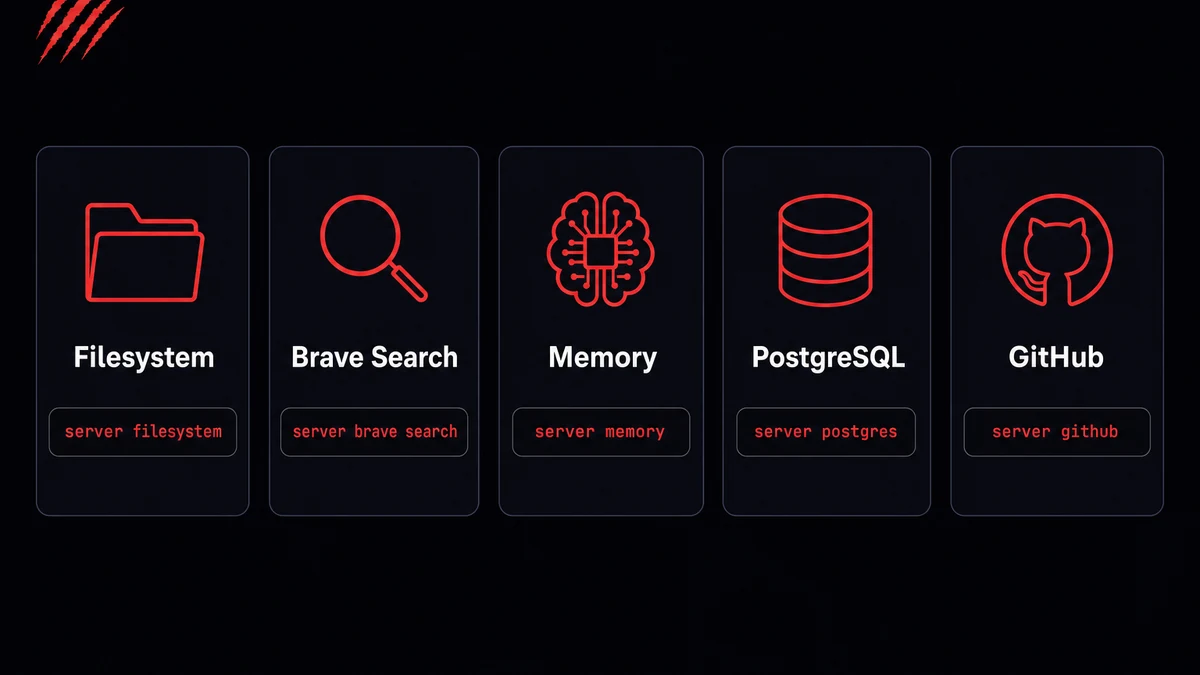
Filesystem is the obvious first pick. Zero config, zero API keys. Read, write, search files: npx -y @modelcontextprotocol/server-filesystem /path/to/data.
Brave Search gives you free web search. 2,000 queries/month, way cheaper than Google. Grab a BRAVE_API_KEY from brave.com/search/api.
Memory changed how I work the most. Without it, your agent forgets everything when the session ends. No API key needed.
PostgreSQL because writing SQL by hand in pgAdmin got old. My coding agent runs queries against our dev database. Just needs a connection string.
GitHub is the one I'd miss most. Issues, PRs, file reads, repo search. Needs a GITHUB_PERSONAL_ACCESS_TOKEN with repo scope.
Combined overhead: ~2,400 tokens.
Troubleshooting MCP servers that won't start
Four categories cover most MCP startup failures: missing Node in PATH, missing API keys, transport mismatch, and resource leaks. Every error compressed to what fixed it.
"spawn npx ENOENT": Node isn't in PATH when OpenClaw spawns the process. Common with nvm or asdf. Use the full path to npx (find it with which npx). On Windows, replace npx with cmd /c npx.
"MCP server exited with code 1": Almost always a missing API key. Check the logs: openclaw logs --mcp --server <name> --tail 50. Nine times out of ten the error names the variable.
Server starts but tools don't appear: Transport mismatch. Most community servers use stdio. Check the README.
Puppeteer memory leak: Headless Chromium accumulates orphan processes. 6 GB over a weekend on my box before I caught it. Set "headless": "new" in the args and cron-restart the server daily:
0 4 * * * openclaw mcp restart puppeteerThe browser relay avoids this entirely by controlling your real Chrome instead of spawning headless instances.
Debugging MCP crashes at 2 AM gets old after the second time. OpenClaw VPS handles process monitoring, auto-restarts, log aggregation. You sleep instead.
Start adding MCP servers
Add one server to openclaw.json. Restart. Ask your agent to use it. That's the whole process. Every tool you add works through Telegram and WhatsApp too, not just the dashboard. MCP servers even run on Android via Termux if you're using the proot-distro method.
If you'd rather skip the config files entirely, OpenClaw VPS comes with the top MCP servers pre-configured and managed. Self-hosting works fine too. The config above runs on my box.


