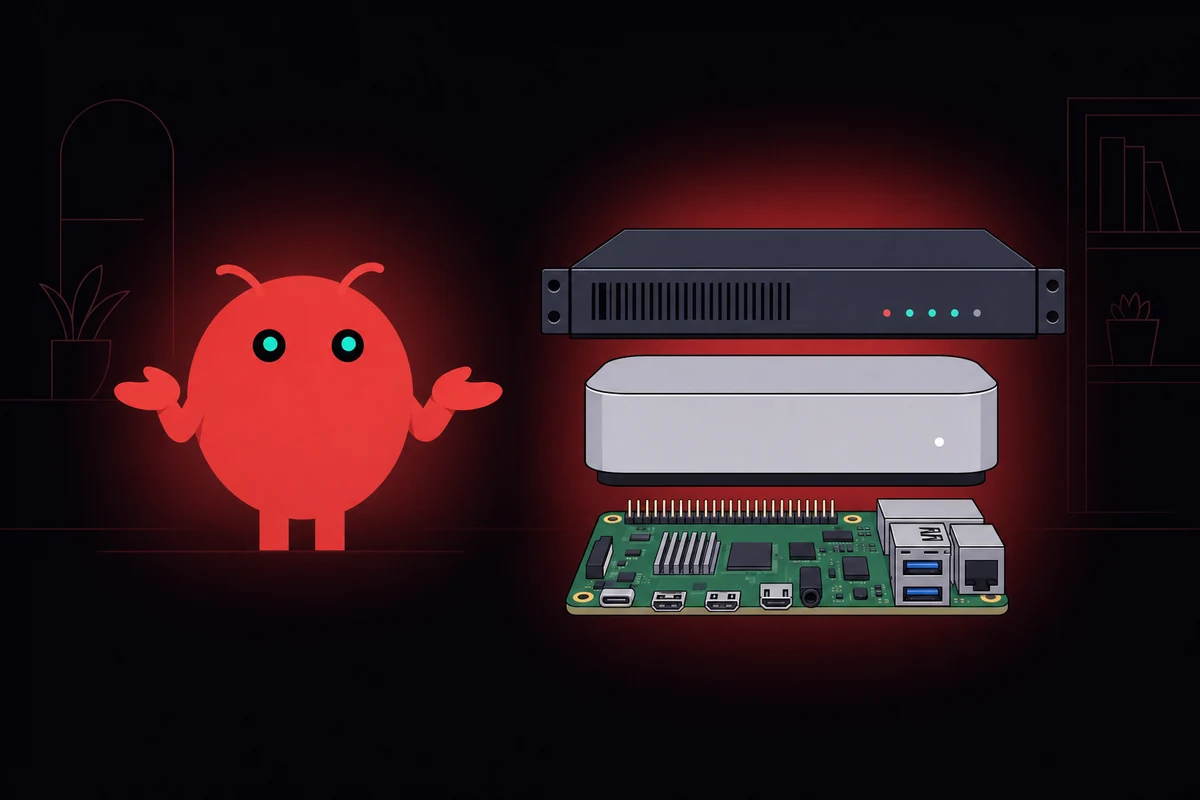
TL;DR: The gateway runs on basically anything (Pi, old laptop, $5/mo VPS, DeepSeek backend). The model is the expensive half, and you choose where it runs.
I almost dropped $10K on a Mac Studio last quarter to run a Telegram bot that mostly waits for messages and does the occasional scraping run, before a friend pointed out the box would idle at 4% CPU forever and the money belonged in a Claude subscription instead.
So I rented a $5/mo VPS. Twelve weeks later the bot still runs. OpenClaw's hardware requirements: a $5/mo VPS plus a Claude key.
Size for the agent, not for the model
Most wrong purchases come from buying for the model when the gateway is what's actually running. The OpenClaw Node.js 22+ process and the model behind it are two different machines, even when they share a hostname.
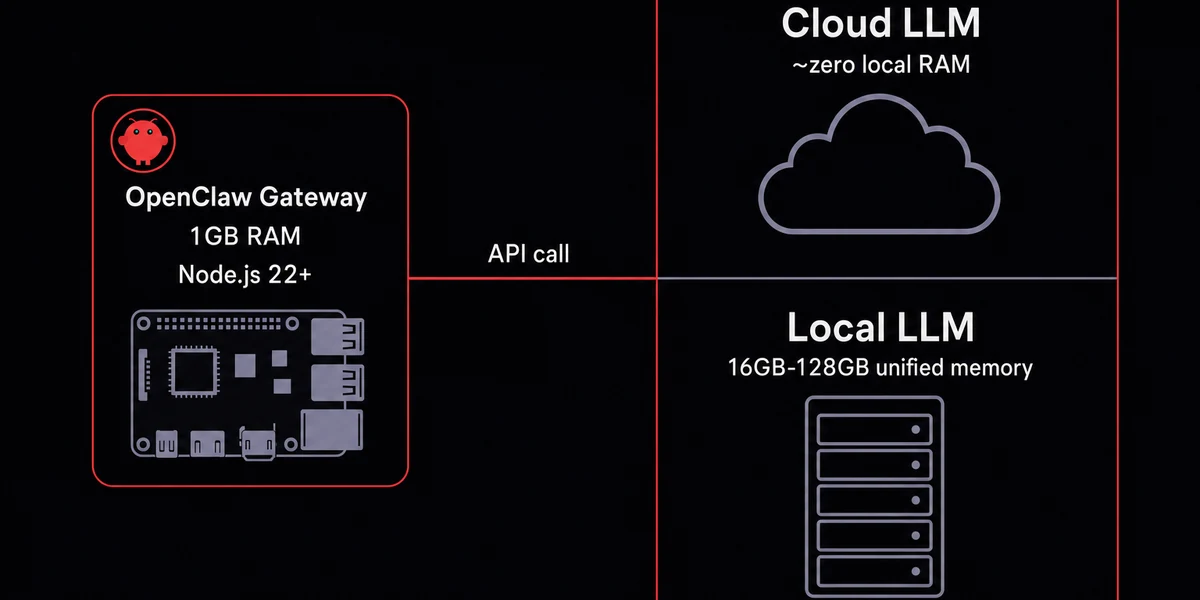
If your model lives in the cloud, the gateway box can be almost anything with a power cable.
I picked the wrong machine twice before figuring this out, once a refurbished Mac Mini that sat idle 95% of the day, once a $200 mini PC that ran great but burned more electricity than the API saved. Any of those works. A Pi 4 8GB, an Intel NUC, a $5 VPS, even an old laptop running off a UPS will handle the gateway fine.
Local models flip this. Ollama and LM Studio run inside the same Node process or alongside it on a much bigger machine, and at that point you're shopping for unified memory, not webhook latency. Sizing the box is half the job; the five OpenClaw Ollama settings are the other half.
Pick where inference runs first, then size the hardware. Everyone who returned a Mac Studio bought the hardware first.
OpenClaw hardware requirements for cloud mode: the minimum that actually works
Cloud-mode OpenClaw runs on hardware most people already own, a Node.js process that idles around 1GB of RAM, prefers any 64-bit chip, and wants stable networking more than clock speed.
Any 64-bit chip handles the I/O-bound webhook-stitching workload. A Pi 4's quad-core is overkill, and 20GB of SSD covers the OS, Node 22+, logs, and slack for an npm upgrade. It runs on Linux, macOS, and Windows through WSL2, and any decent SSD handles the load; NVMe is overkill for an I/O-bound agent.
Flaky Wi-Fi tunnels that reconnect every hour will eat your evening blaming WhatsApp when the problem is actually your router.
Google's AI Overview gets RAM wrong by quoting a 4GB minimum. The OpenClaw process actually wants about 1GB resident, and a 2GB total floor leaves headroom for the OS. I've kept a Pi 4 8GB build at home since January 2026. I tunnel in over Tailscale, the box pulls about three watts at the wall, and it has only restarted once when I unplugged it by accident. The full Pi 5 build with the heartbeat-cost trap is the longer version of that setup.
When 1GB stops being enough
I learned this on a 2GB VPS where three concurrent scraping agents convinced the kernel to start OOM-killing them in a round-robin pattern, every headless Chrome instance Playwright spins up grabbing another 200-400MB depending on tabs and page JavaScript. The 2GB box never recovered until I doubled it, and the OOM-killer log timestamps were 30 seconds apart for hours.
Parallel agents stack the footprint past 4GB on top of that. Adding a second agent tacks 600-900MB onto the gateway once the conversation is cached, and on a 4GB Pi that's the entire spare budget. After that you're rebuilding on 8GB or moving off-Pi entirely.
A bare Telegram-replies-to-emails bot will never trip the 4GB-to-8GB jump. Add a "browse this URL" tool plus a parallel agent, and you've crossed it.
The local-model RAM table you actually need
Local-model RAM is the most-asked question about OpenClaw local LLM specs, and it works as a step function: a model either fits in memory and runs, or it falls back to swap and crawls. Below is the working ladder I use when sizing a box for running Ollama with OpenClaw, with practical floors instead of advertising minimums. If 6GB is already a stretch, look at the lighter OpenClaw alternatives instead.
| Model size | RAM needed | Mac Mini fit | Tier |
|---|---|---|---|
| 7-9B params | 6-8GB | 16GB M4 with headroom | small |
| 13-20B params | 14-16GB | Fills the 16GB M4; buy 32GB | mid |
| 30-35B params | 24GB | M4 Pro 24GB territory | mid-large |
| 70B params | ~50GB unified | Mac Mini line tops out before this | large |
| 120B+ params | 81GB+ | A 64GB Mac can't hold it | frontier-class |
That "Tier" column maps to my own rough sense of how each model fares against Claude on real agent work. When I tried a 13B Qwen on a 16GB M4 last month, it loaded fine, then the third concurrent agent took the box to swap and the response time tripled.
The 13B Qwen I tested on the M4 reached roughly Sonnet-style reasoning on simple tasks but stumbled on the multi-step plans Sonnet handles fine. Smaller 7-9B models are noticeably worse at tool-calling (somewhere between GPT-3.5 and a slow GPT-4), and a 70B local model in unified memory still trails Opus by a clear generation. Frontier cloud quality stays out of reach for anything that fits in a 64GB Mac. The closest 2026 contender is the 230B-MoE MiniMax M2.7 quant, and even its smallest usable build is 108GB on a 128GB Mac.
Nobody wants to hear the quality part. After one well-publicized local-hardware experiment that ran the numbers seriously, the verdict was blunt: even a 70B local model loses badly to a Claude-Opus-backed gateway. Smaller models hallucinate tools that don't exist and produce agent loops the cloud-backed one doesn't. Local saves money, not quality.
Why a GPU stops being optional somewhere around 20B
Unified-memory Macs run small-and-medium models on the integrated GPU at usable speed because the memory bandwidth is genuinely good. Past 20B parameters you want CUDA-class hardware: a 3070 or better for inference, a 3090 or 4090 if you want speed. (Smaller models hallucinate tools too often to be useful as autonomous agents, which is why 20B is the practical floor.)
Pick by what you're running, not by the brand
Cloud-API users want the cheapest stable hardware: a Pi already in a drawer, or a $5/mo VPS with snapshots.
Local-model users size for the model and treat the gateway as a footnote, which means a Mac Mini for small-to-mid open-weight models or a GPU box for anything 70B and up.
| Hardware | Upfront cost | Monthly cost | Best for | Local LLM? |
|---|---|---|---|---|
| Pi 4/5 8GB | $60-120 | ~$0.50 power | Cloud-mode 24/7 always-on | No |
| Mac Mini M4 16GB | $599 | ~$2-4 power | Cloud + small local models | 9B comfortable |
| Mac Mini M4 Pro 24GB | $1,399 | ~$3-5 power | Mid-tier local models | Up to ~30B |
| Hetzner CPX22 VPS | $0 | $5-7 | Cloud-mode, no power bill, snapshots | No |
| Gaming PC + GPU | $1,200+ | $15-30 power | Heavy local models 70B+ | Yes |
Reading down the table, the OpenClaw Mac Mini M4 16GB is the buy-once option for the 9B-to-30B range. At the $5/mo tier, the best VPS for OpenClaw matches a Pi's capacity with snapshot rollbacks and no power bill. Gaming PCs slot in for one reader only: anyone insisting on a 70B+ local model with GPU-class inference speed.
When the Mac Mini still wins
A few specific use cases tip the scales toward Apple silicon. Hard privacy where data cannot leave the LAN. Zero ongoing API bills if you're willing to take the quality hit. Connecting OpenClaw to iMessage, where the imsg CLI needs a signed-in Mac and there is no Linux-only path. If none of those describes you, the Mac Mini is a $599 expression of FOMO.
Babysitting Node 22 installs and SSH key rotations gets old fast. OpenclawVPS provisions a dedicated EU VPS with OpenClaw preinstalled in 47 seconds, snapshots included, EU regions in Falkenstein, Nuremberg, and Helsinki. Plans start at $19/month.
The cost math people skip when picking cloud or local
Run the 24-month numbers and the aesthetic argument falls apart. Cloud route lands around $35/mo: $5-7/mo VPS plus $20-40/mo of Claude API costs. Local is $600 up front plus ~$50 electricity over two years. Two-year totals: $650 local versus $840 cloud at typical use, or $4,800 cloud at the $200/mo Max ceiling.
I almost bought a Mac Mini in March, then checked my last three months of API spend. Averaging $24/mo, not the $200 I'd mentally priced. Three years of that is $864. The Mac Mini doesn't pay back unless I scale up.
Local wins the math on zero-budget setups, hard privacy requirements, or heavy 24/7 multi-agent loads where electricity beats per-token cost. Everywhere else, cloud wins. Paying for GPT or Claude plus a $5 VPS is the right answer for most readers.
The setup I run now
If you have a Pi or a $5/mo VPS lying around, you have OpenClaw hardware. The faster path is skipping the Node 22 install, the SSH key rotation, and the snapshot setup entirely.


