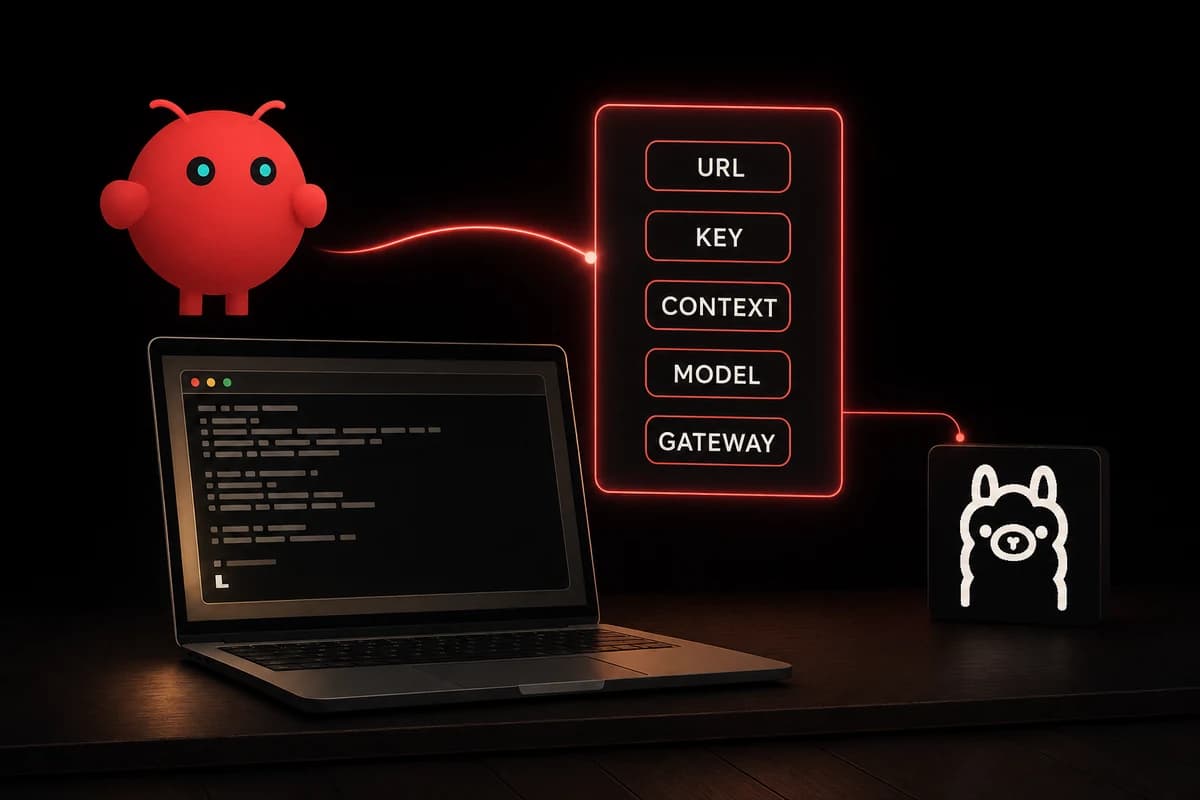
OLLAMA_API_KEY to any non-empty string, configure context length to at least 64,000 tokens, use the ollama/<model-tag> identifier format, and verify the gateway on port 18789. Get those five right and the rest is defaults.OpenClaw Ollama configuration looks straightforward at first glance. One-line wizard, ollama launch openclaw, and you are chatting with a local model in two minutes. Then production hits and the wizard's blind spots start to bite.
Five values matter, and the wizard handles maybe three of them well. The shortcut runs on Ollama 0.17 or newer and auto-configures the provider, but it skips the things that quietly break later. Set these by hand:
- Base URL
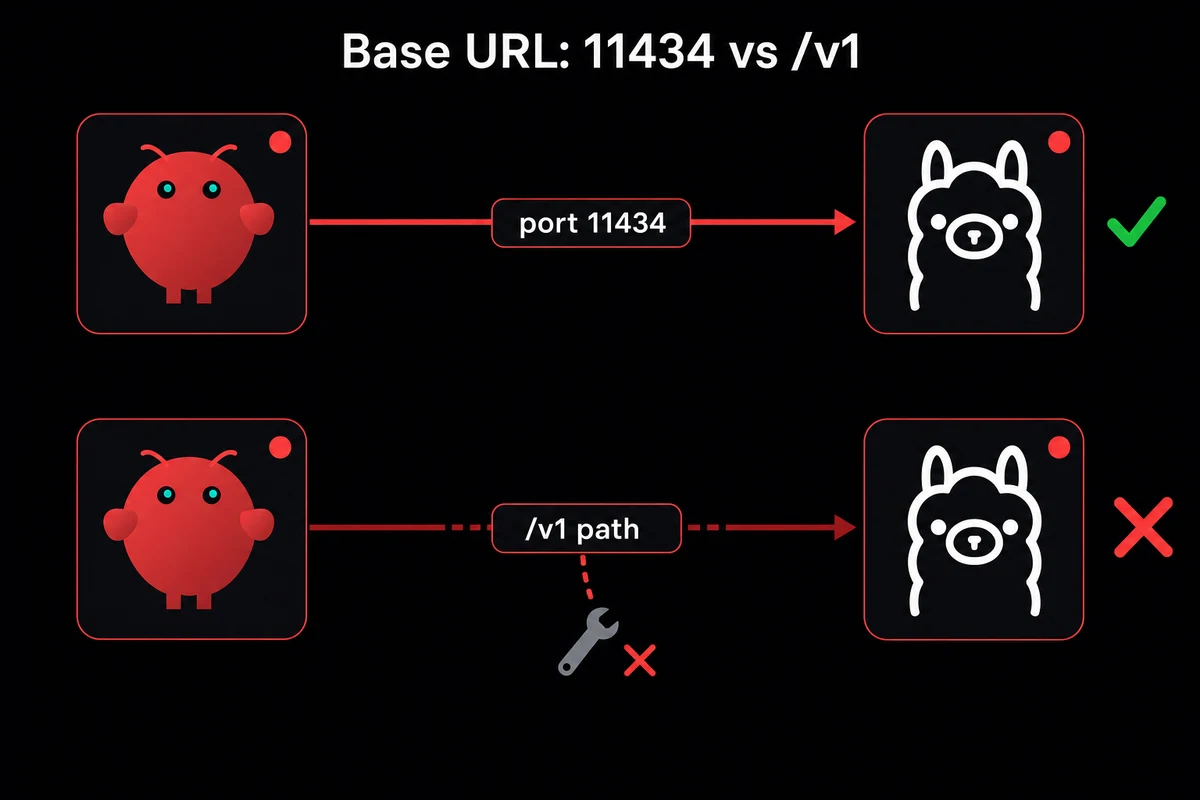
http://localhost:11434, never with/v1. The OpenAI-compatible path returns tool calls as plain JSON text instead of structured calls, and your agent silently loses tools. OLLAMA_API_KEY="ollama-local". Ollama does not check the key, but OpenClaw's provider layer refuses to load if the env var is missing.- Context window at 64,000 tokens or more. OpenClaw rejects any model whose manifest advertises under 8,192, and 64k is the agentic minimum.
- Model identifier
ollama/<tag>, for exampleollama/qwen2.5-coder:14b. Bare names throw "Unknown model". - Gateway on port 18789 with the token from
~/.openclaw/openclaw.jsonappended to the URL path.
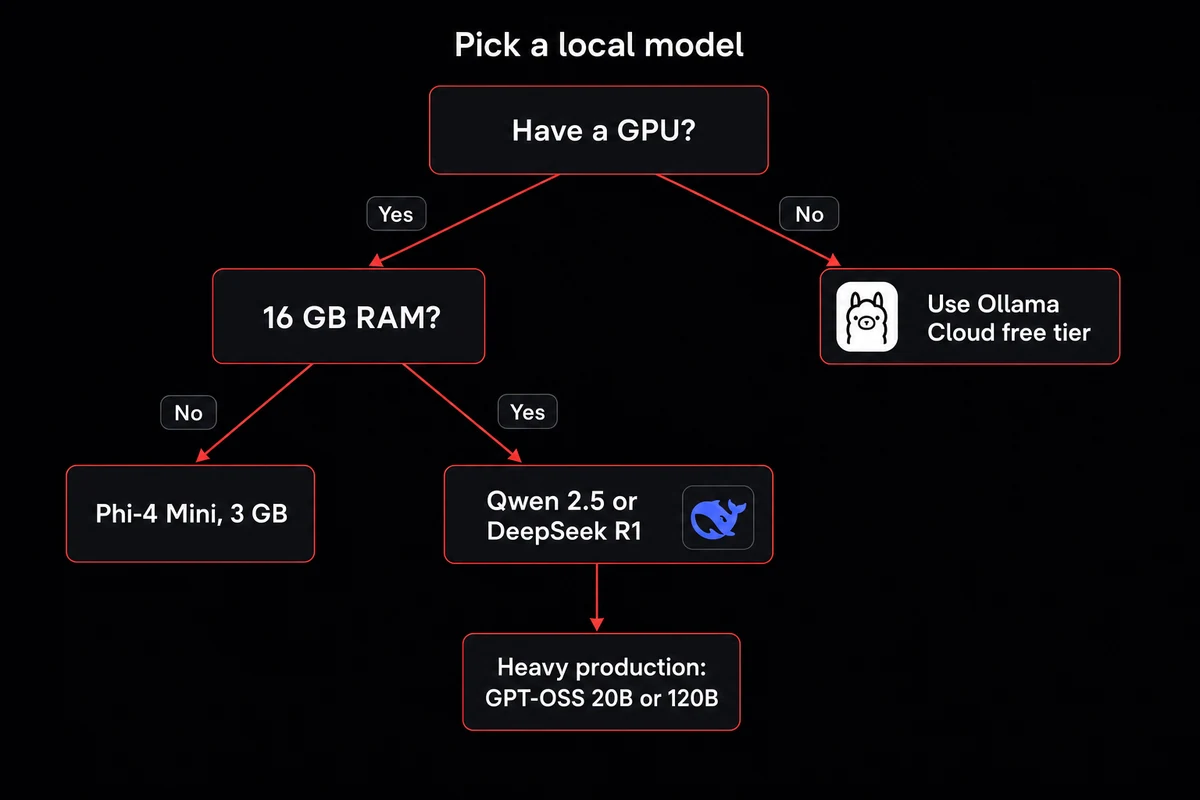
Hardware floor: 16 GB RAM and 4 GB VRAM cover Qwen 2.5 or DeepSeek R1 locally. Below that, route through Ollama Cloud's free tier or drop to a smaller model.
I trusted my config for an hour before realizing the model was reloading every turn. OpenClaw took 155 seconds to answer a prompt that raw Ollama handled in three. Everything looked right except the context window, which the model silently truncated to 3,000 tokens.
Issue #10974 has the receipts. You only hit the bug once you trust the config.
OpenClaw Ollama configuration: the five values that matter
This is the recommended-path setup, end to end. Get these five right and OpenClaw plus Ollama stays stable. Skip one and you will lose an evening on GitHub issues.
If you are also wiring skills and MCP servers into the same install, these are the foundation.
| Setting | Value | Where you set it | Breaks if |
|---|---|---|---|
| Base URL | http://localhost:11434 | Provider config in ~/.openclaw/openclaw.json | You add /v1. Tool calls become plain JSON text |
| API key | OLLAMA_API_KEY="ollama-local" | Env var in .env or shell | Unset. OpenClaw refuses to load the provider |
| Context length | 65536 (or higher) | OLLAMA_CONTEXT_LENGTH env var, or PARAMETER num_ctx 65536 in a Modelfile | Manifest under 8192. OpenClaw rejects the model |
| Model identifier | ollama/<tag> | Provider config model field | Bare name. Returns "Unknown model: llama3.2" |
| Gateway URL | http://127.0.0.1:18789/<token> | Token in ~/.openclaw/openclaw.json | Wrong token. 404 in the browser |
1. Base URL: 11434 without /v1
Ollama's service listens on http://localhost:11434 by default. OpenClaw's provider config wants exactly that, no path suffix. The trap is that Ollama also exposes an OpenAI-compatible API at /v1/chat/completions, and if you have been writing against the OpenAI SDK recently, your fingers will type /v1 on autopilot.
Do not. Tool calling on /v1 returns tool calls as plain JSON in the chat stream instead of structured calls OpenClaw can dispatch. Your agent looks like it works, replies come back, but skills and MCP servers sit idle while the model types out {"tool": "shell", "args": {...}} as message text.
Set the URL explicitly:
{
  "provider": "ollama",
  "baseURL": "http://localhost:11434",
  "model": "ollama/qwen2.5-coder:14b"
}
If you have been chasing missing tool dispatch on a config that otherwise looks correct, this is the first thing to check.
2. API key: a placeholder Ollama ignores
Ollama does not validate API keys on a local install, but OpenClaw still demands the env var exists. Issue #68344 confirmed it: the provider layer refused to load Ollama on macOS until OLLAMA_API_KEY was set, even though Ollama never checks the value. Pick any non-empty string:
export OLLAMA_API_KEY="ollama-local"Drop the same line into your .env file if OpenClaw's CLI reads one on startup. The string never reaches Ollama. This is the cheapest config trap in the whole setup because the symptom, "OpenClaw will not load my provider", points nowhere near a key the runtime ignores.
3. OpenClaw context window: 64k or the model gets rejected
Ollama's default context window is 4,096 tokens, and it scales by VRAM: under 24 GiB you stay at 4k, between 24 and 48 GiB you get 32k, at 48 GiB and up you get 256k. None of those defaults are agentic-workflow-ready except the top tier.
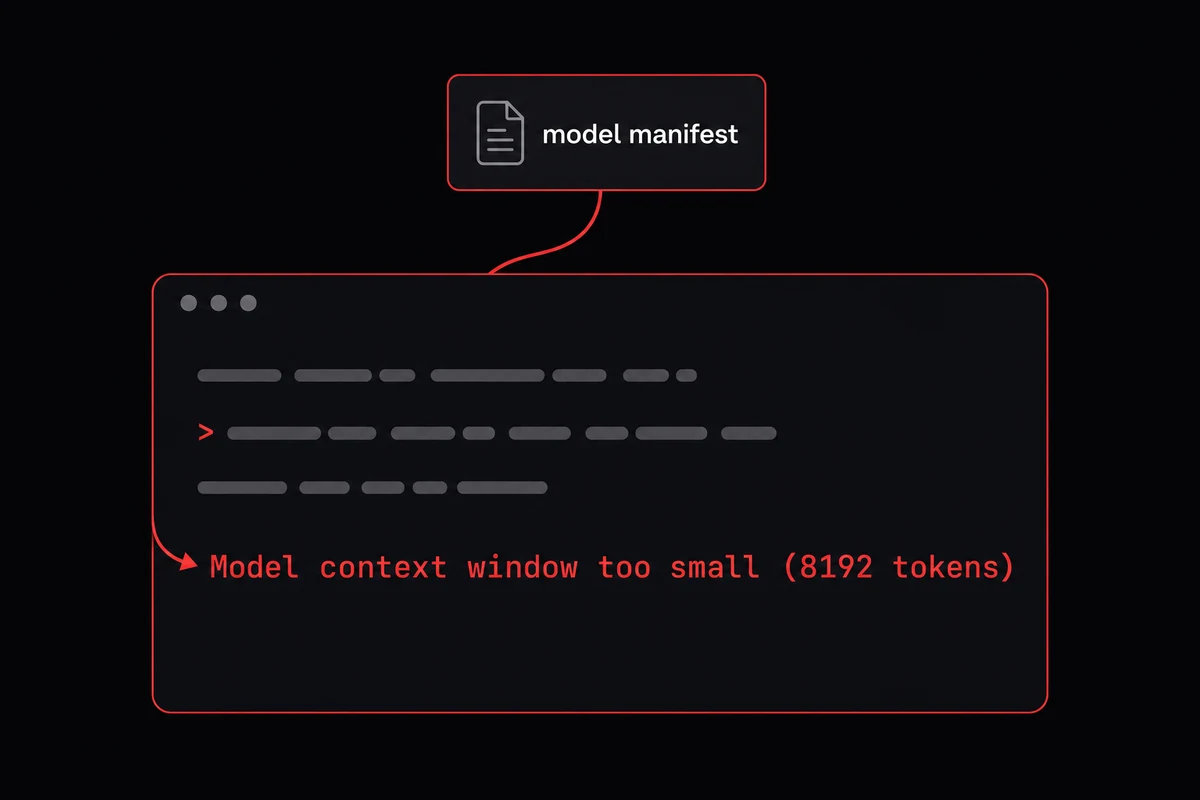
OpenClaw documents 64,000 tokens as the minimum for agents, coding, and web search. Issue #68344 confirmed it: OpenClaw reads the model's manifest, not the runtime override, and rejects anything under 8,192. You will see Model context window too small (8192 tokens) even with OLLAMA_CONTEXT_LENGTH=65536 in your shell.
Two ways to fix it. Set the global env var:
export OLLAMA_CONTEXT_LENGTH=65536Or build a per-model Modelfile, which writes the value into the manifest so OpenClaw sees it on models list:
FROM qwen2.5-coder:14b
PARAMETER num_ctx 65536
ollama create qwen2.5-coder-64k -f Modelfile4. Model identifier: ollama/ prefix is mandatory
OpenClaw's model names are namespaced by provider. Ollama models live at ollama/<model-name>, not bare <model-name>. Bare names throw Error: Unknown model: llama3.2, and chat hangs on a permanent "thinking" indicator with no error in the UI. In openclaw.json:
"model": "ollama/qwen2.5-coder:14b"The tag (:14b, :7b, :32b) matches what ollama list shows you locally. If you pulled qwen2.5-coder without a tag, Ollama defaults to latest. I burned twenty minutes on this on my first install, thinking OpenClaw did not see the model at all. The name was wrong by one prefix.
5. Gateway: port 18789 plus the token
OpenClaw's gateway is the web-chat and channel-routing service. It binds to http://127.0.0.1:18789 and protects the dashboard with a token appended to the URL path. The token lives in ~/.openclaw/openclaw.json:
cat ~/.openclaw/openclaw.json | grep tokenCompose the dashboard URL by appending the token after a slash (http://127.0.0.1:18789/<your-token>). A curl against it should return the chat UI's HTML.
A 404 means your token does not match the one in the config file, usually because the gateway restarted and rotated the token. Re-read the config, paste the new value.
Hardware requirements for OpenClaw with Ollama
Before any of the values above matter, the host has to clear the floor: a recent Ollama, a recent Node, and a GPU with at least 4 GB of VRAM. For hardware comparisons, the Pi, Mac Mini, or VPS guide walks the tradeoffs; on a low-power Pi specifically, see the Raspberry Pi guide.
Verify the versions:
ollama --version    # must be 0.17.x or later
node --version      # must be v22.12.0 or later (20+ technically works)
Earlier Ollama versions do not ship the ollama launch openclaw flow, so you skip the wizard and configure by hand.
For RAM and VRAM, the floor is 16 GB system RAM plus 4 GB VRAM to run Qwen 2.5 or DeepSeek R1 with any real responsiveness. Below that, route to Ollama Cloud's free tier instead. The model-to-VRAM ladder:
| Model | VRAM | Best for |
|---|---|---|
| Phi-4 Mini | ~3 GB | Tiny GPU laptops, quick checks |
| Qwen 2.5 / DeepSeek R1 | 4 GB / ~10 GB tested | Day-to-day agentic work on a 16 GB / 4 GB box |
| GPT-OSS 20B | ~12 GB | Mid-tier production agents |
| Llama 3.3 70B | ~40 GB | Serious production on a workstation GPU |
| GPT-OSS 120B | ~48 GB | Frontier-quality local work, RTX A6000 or similar |
Below the 4 GB VRAM floor, take the escape hatch: pick cloud + local at the provider step during onboarding and sign into Ollama Cloud in the browser. Kimi K2.5 runs from Ollama's hosted service for free and your wiring stays identical.
The shortcut path: ollama launch openclaw
On Ollama 0.17 and newer, a single command does most of the OpenClaw Ollama setup. It downloads OpenClaw, sets the Ollama provider in the config, picks a default model, and starts the gateway. For a greenfield setup or a demo, this is the right call: you are chatting with a local model in under two minutes.
ollama launch openclawThe wizard handles the easy parts correctly: base URL, model registration, gateway port and token. It misses the OLLAMA_API_KEY env var (you will hit "provider failed to load" on the next restart), the context-length override (default is whatever Ollama set, usually 4k), and the /v1 confusion if you later swap providers.
Use the launch flow for greenfield or demos; for production, hand-roll the five values yourself.
The wizard handles the easy 80% and leaves you the parts that quietly break. OpenclawVPS provisions a managed VPS with OpenClaw, Ollama, and the five config values already set the way the production docs assume. Plans start at $19/month.
How do you verify OpenClaw Ollama is working?
Three checks verify the OpenClaw Ollama configuration is actually doing what you set it to do. A working setup is a context window that applies, tool calls that come back structured, and a gateway reachable on the right token. I run these after every Modelfile rebuild because a passing manifest does not always mean a passing runtime.
Check 1: Does the context window actually apply?
Hit Ollama's show endpoint and compare advertised vs. configured:
curl http://localhost:11434/api/show -d '{"model":"qwen2.5-coder:14b"}'In the response, the parameters block should show num_ctx 65536. If it shows 8192, your Modelfile did not take.
If it shows 65536 but generation behavior suggests truncation, you are hitting ollama issue #10974: the runtime is ignoring the manifest under load. Restart Ollama and confirm with the API call again.
Check 2: Do tool calls come back as structured calls?
Send a prompt that requires a tool. Watch the chat. If a tool call executes and a result comes back, you are good.
If raw JSON appears in the chat, something like {"name": "shell", "arguments": {...}} typed out as message text, you are on /v1 and the path needs to come off.
Check 3: Is the gateway actually reachable?
curl http://127.0.0.1:18789/<token>The response should be HTML for the chat UI. A 404 means the token does not match. Re-read ~/.openclaw/openclaw.json for the current value. Connection refused means the gateway is not running at all; restart it.
Picking the right OpenClaw local model
The wizard's default may not fit your hardware or your use case, so pick deliberately. The right OpenClaw local model depends on three things: VRAM, response-time tolerance, and whether you are running personal agentic work or shipping to production.
I picked GPT-OSS 20B on my first run and watched it run cold on a 12 GB card before swapping back to Qwen 2.5 Coder 14B. The practical pick was right there in the table I had skipped.
For day-to-day agentic work on a mid-range GPU, Qwen 2.5 Coder 14B is the practitioner consensus. It ran at around 10 GB of VRAM on the box I tested, comfortably inside a 12 GB card.
A practitioner walkthrough on an RTX A6000 settled on GLM 4.7 flash for the same role. Both are competent at the multi-turn tool-using workload OpenClaw was built for.
For mid-tier production where you want frontier-adjacent quality, GPT-OSS 20B at ~12 GB VRAM is the practical pick. At the top, if you have 48 GB VRAM, GPT-OSS 120B is what people are actually shipping on.
On a laptop with no GPU, drop to Phi-4 Mini at ~3 GB VRAM or pick the cloud-plus-local hybrid: provider set to cloud + local, model set to Kimi K2.5 via Ollama Cloud's free tier. Wiring stays the same. The swap to a different model flow covers the runtime side without re-running the wizard.
The honest tradeoff: local models are slower and less nuanced than Claude or GPT on complex multi-step tasks. They struggle on long agentic chains. What they are better at is staying on your machine.
If privacy or cost is the reason you are here, the tradeoff is worth it. If you want frontier-quality reasoning and the privacy is incidental, DeepSeek setup via the API path is a different question, and add models walks the config for Claude, GPT, and the rest.
OpenClaw Ollama configuration mistakes (and the fixes)
Six configuration mistakes account for nearly every failure I have seen on OpenClaw + Ollama. The table below pairs each symptom with its fix; the three most common get prose treatment below. The most common symptom by far is a 155-second response time that looks like a performance problem and is actually a context-window mistake.
| Symptom | Likely cause | Fix |
|---|---|---|
| Tool calls show as raw JSON in chat | Using /v1 URL | Drop the /v1 suffix |
| "Provider failed to load" on startup | Missing OLLAMA_API_KEY | Set to any non-empty string |
| "Model context window too small (8192)" | OpenClaw context window manifest under 8192 | Build Modelfile with num_ctx 65536, recreate model |
| "Unknown model: llama3.2" | Bare model name in config | Prefix with ollama/ |
| 155-second response times | Silent context truncation reload | Fix context window, restart Ollama |
| Gateway dies mid-session | Known crash on long-running gateway | Restart, cron-job restart every 30 min |
Context-window failure is the most expensive to diagnose because it looks like a performance bug, not a config bug. A model that benchmarks at 3-second responses through ollama run takes 155 seconds through OpenClaw if the context window quietly truncates and reloads on every turn.
Issue #18249 documents this exact failure on qwen2.5-coder:14b. Fix is the Modelfile rebuild with PARAMETER num_ctx 65536 and a verification pass via /api/show.
Bare-model-name failure is the cheapest to fix and the most embarrassing. You will have qwen2.5-coder:14b working at the Ollama level (you can ollama run it, ollama list shows it) but OpenClaw cannot find it.
Three weeks in, you will glance at openclaw.json, see "model": "qwen2.5-coder:14b", and remember that OpenClaw namespaces models by provider. Prefix with ollama/, restart the gateway, done.
Gateway-crash failure is the operational reality of running this stack on a daily-driver machine. The gateway "crashes a lot." A cron job restarting it every 30 minutes is the field-tested patch. For a personal agent it is enough; past that stage, the gateway needs to live somewhere that is not your laptop.
Six failure modes and the one about the gateway dying every 30 minutes adds up fast. OpenclawVPS runs the same OpenClaw and Ollama setup on a VPS that does not sleep, with the gateway restart and config monitoring already handled. Sign-up to running gateway in 47 seconds.
When should you switch from local Ollama to a managed VPS?
Local stops making sense when you are restarting the gateway every half hour, your laptop has under 16 GB of RAM, or you need the agent reachable from your phone.
At that point the question stops being "how do I configure this correctly" and starts being "what do I want to manage."
Local does still make sense in the other direction: privacy is non-negotiable, you have the hardware, and you are comfortable with gateway restarts and the occasional Modelfile rebuild.
Reviewing OpenClaw security best practices is worth doing before you expose any of this to a phone. The gateway's token-on-URL auth pattern is fine on localhost but needs more care once it is reachable.
A managed VPS solves the management half. OpenclawVPS runs the same OpenClaw and Ollama integration on a host that does not sleep, with the gateway restart, config monitoring, and EU-region data residency already in place.
For the underlying mental model of what OpenClaw is and how it works, the parent guide covers the architecture before this article picks up at config.
The setup I run now
After working through the five values, the verification checks, and the six failure modes in 2026, my current setup runs on a managed VPS. Same OpenClaw, same Ollama, same provider config, but on a host that does not sleep.
Provisioning took 47 seconds, and the EU region keeps the data inside the GDPR perimeter.


